Let the jewelry lead.
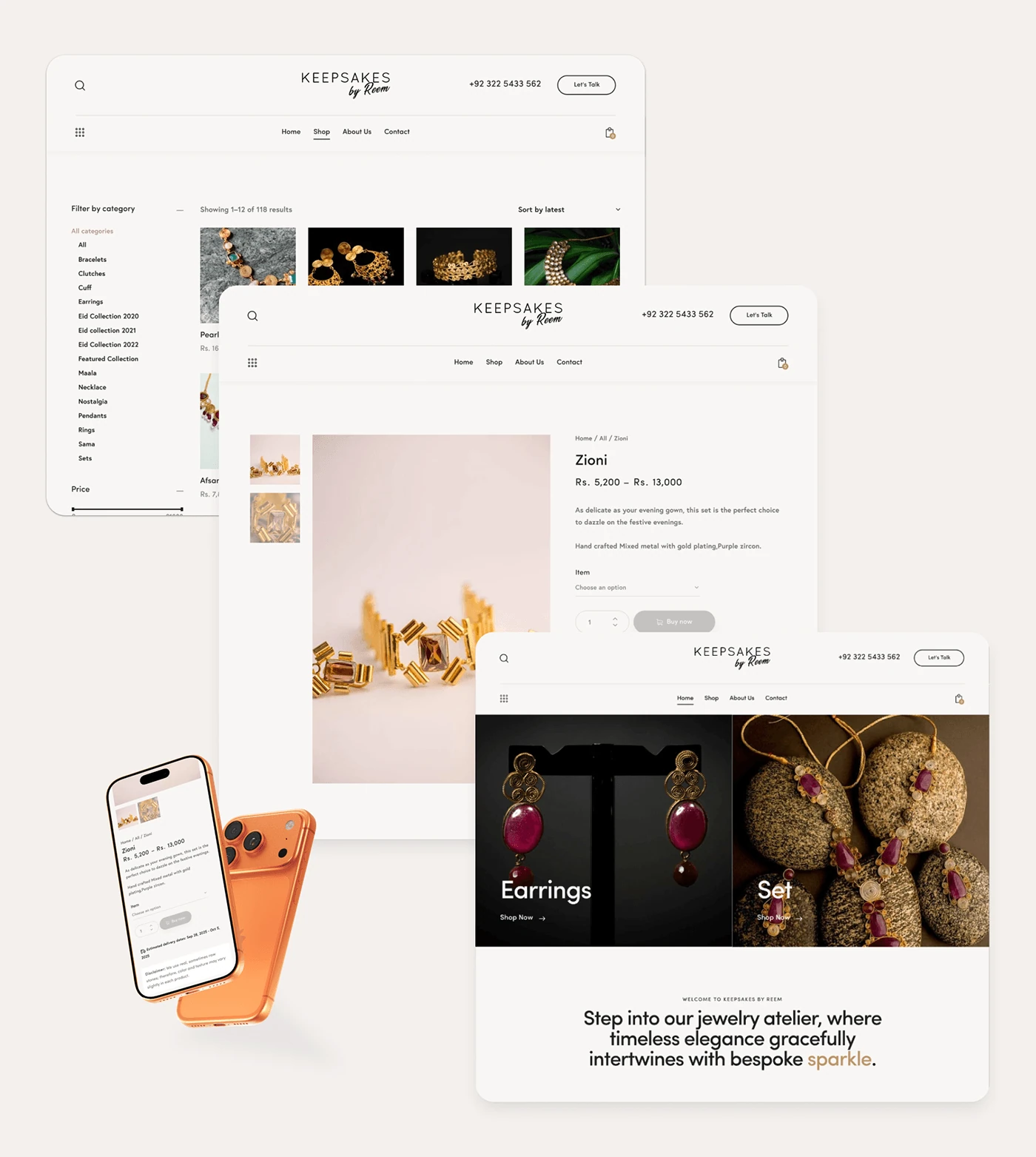
Collections, categories, and product detail views create a considered route from inspiration to a specific piece.
Keepsakes by Reem pairs handcrafted jewelry with a more considered shopping experience. The project connects a refined visual direction, clearer shopping journeys, and a move from Wix to WordPress and WooCommerce.
Keepsakes by Reem
E-commerce, custom orders, and responsive design
Wix to WordPress / WooCommerce
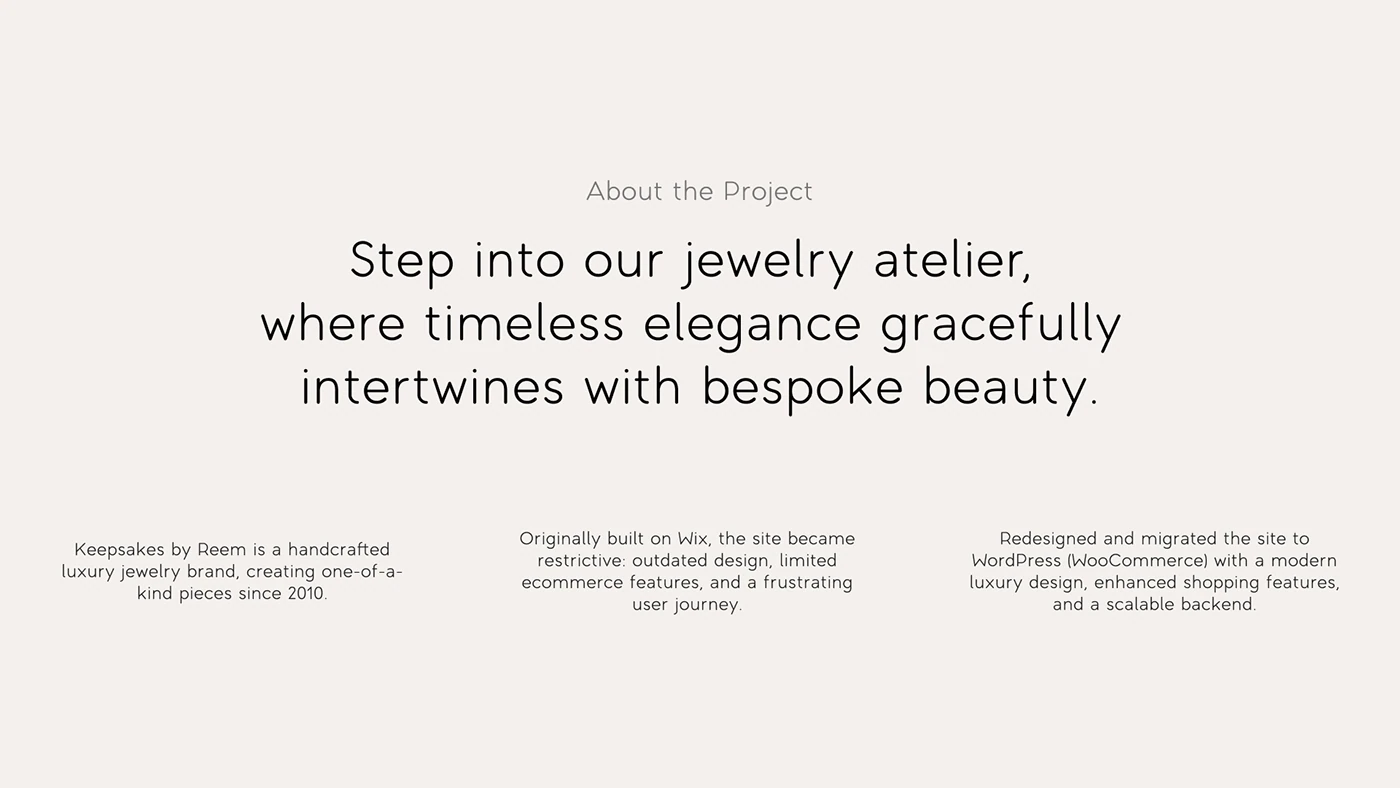
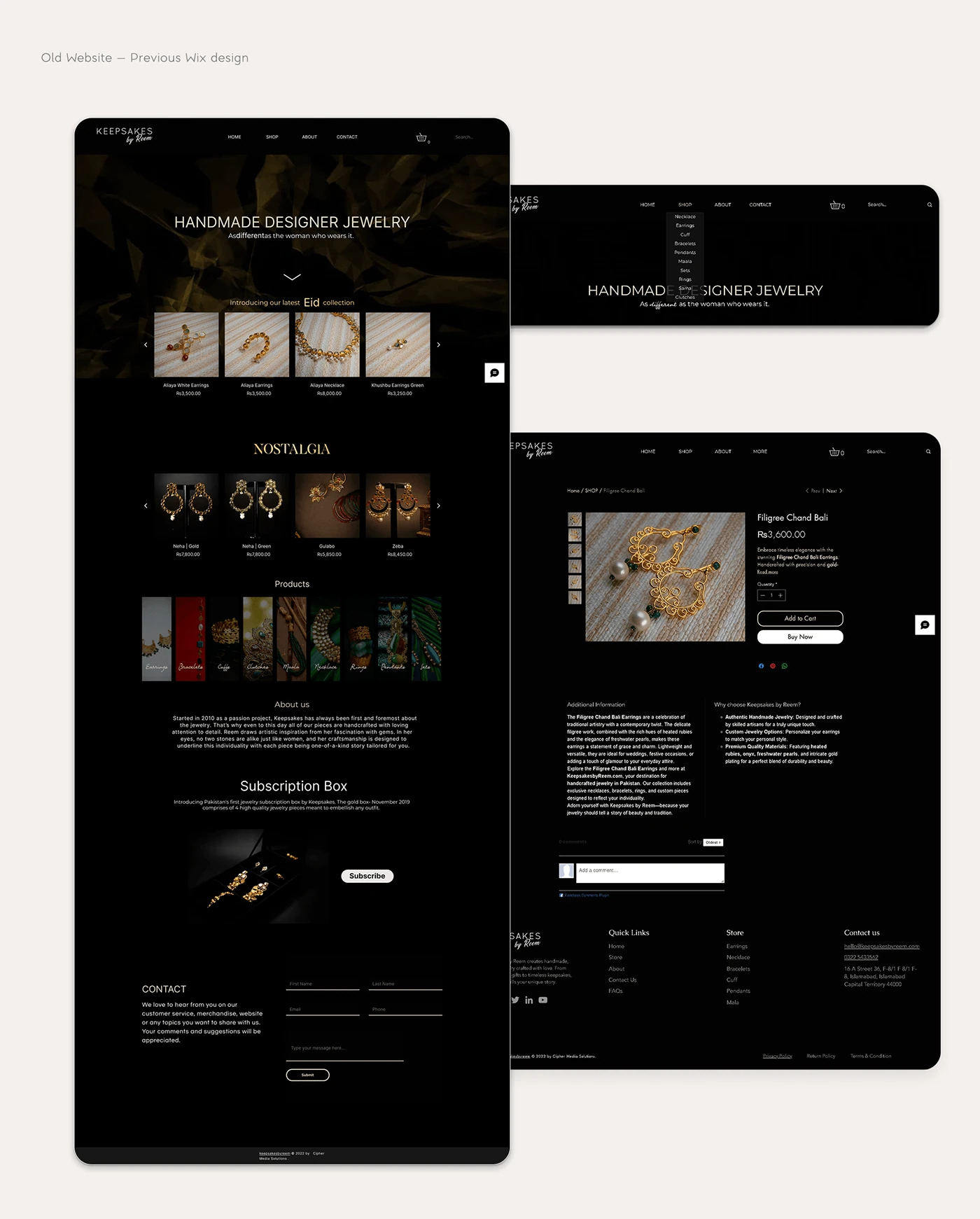
Keepsakes by Reem is presented as a handcrafted luxury jewelry brand creating one-of-a-kind pieces since 2010. Its previous Wix site had become restrictive, with an outdated visual direction, limited commerce features, and friction in the shopping journey.
The project moves the experience to WordPress and WooCommerce, connecting a modern luxury aesthetic with more flexible browsing, shopping, and custom-order flows.
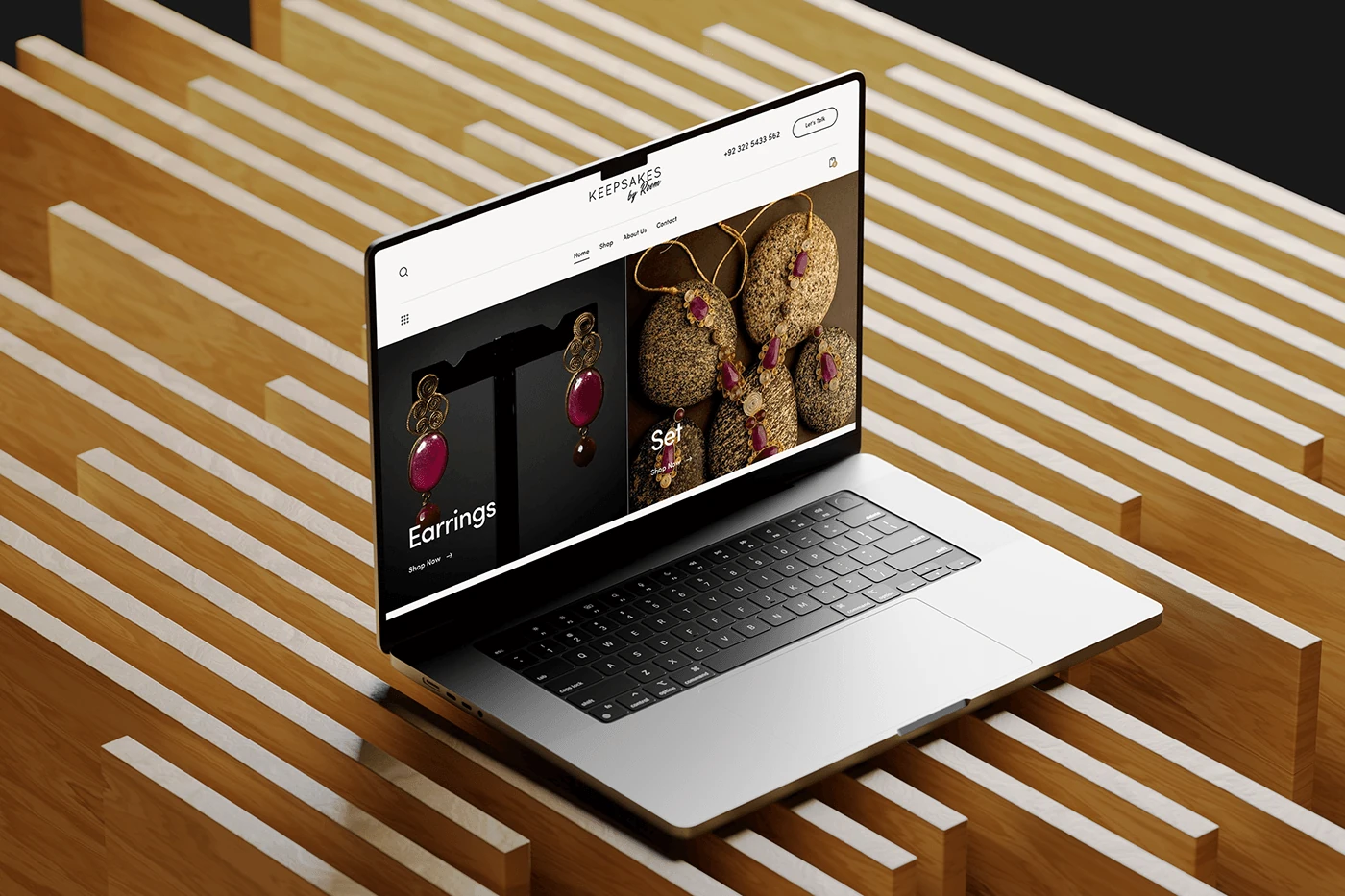
Homepage motion presentation — select play to view.
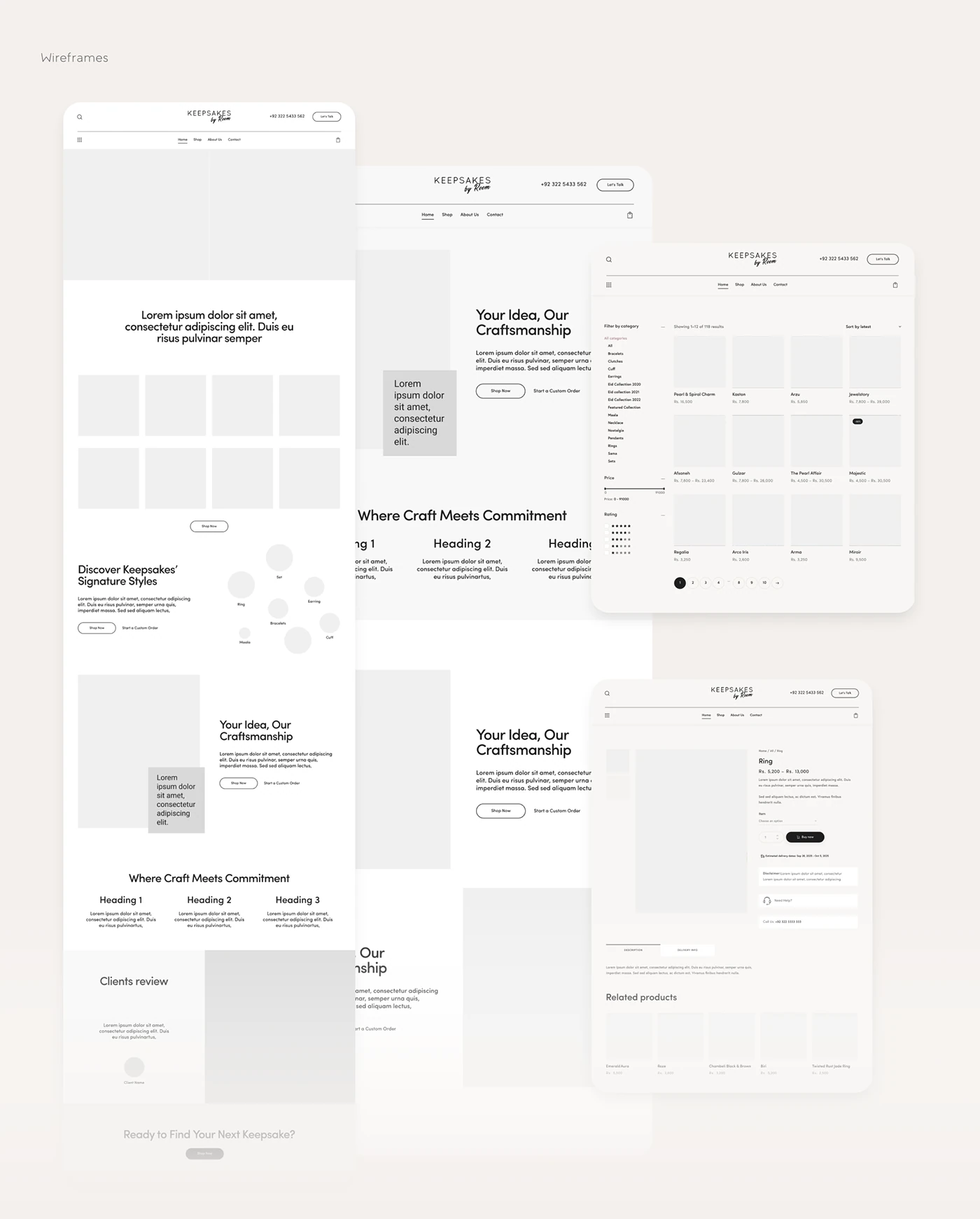
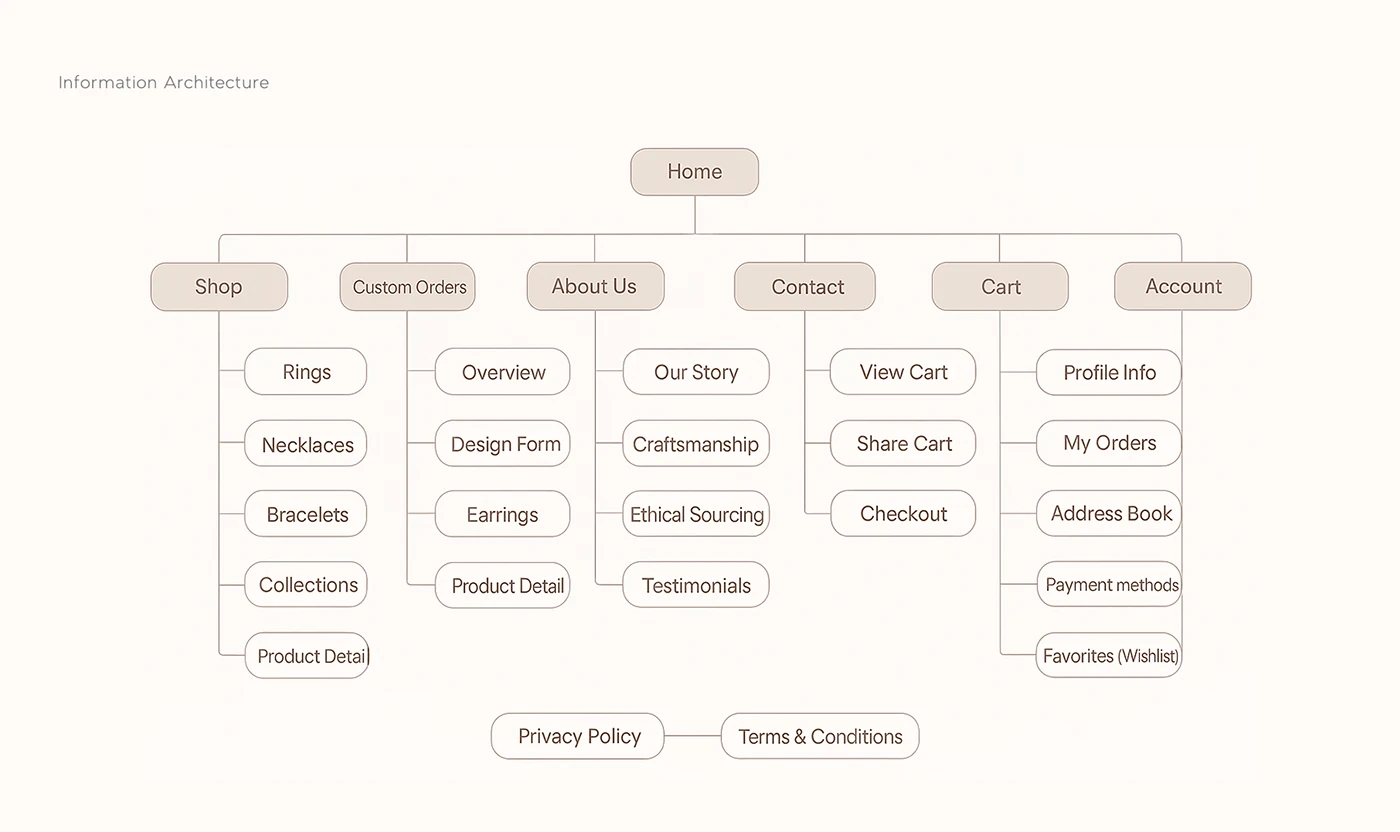
The information architecture brings Shop, Custom Orders, About Us, Contact, Cart, and Account into a clear structure. Product categories support browsing; the custom-order path gives more personal requests their own space.
Collections, categories, and product detail views create a considered route from inspiration to a specific piece.
A dedicated custom-order flow supports requests that need more conversation and detail.
Account, wishlist, and cart access support the practical tasks around browsing and buying.
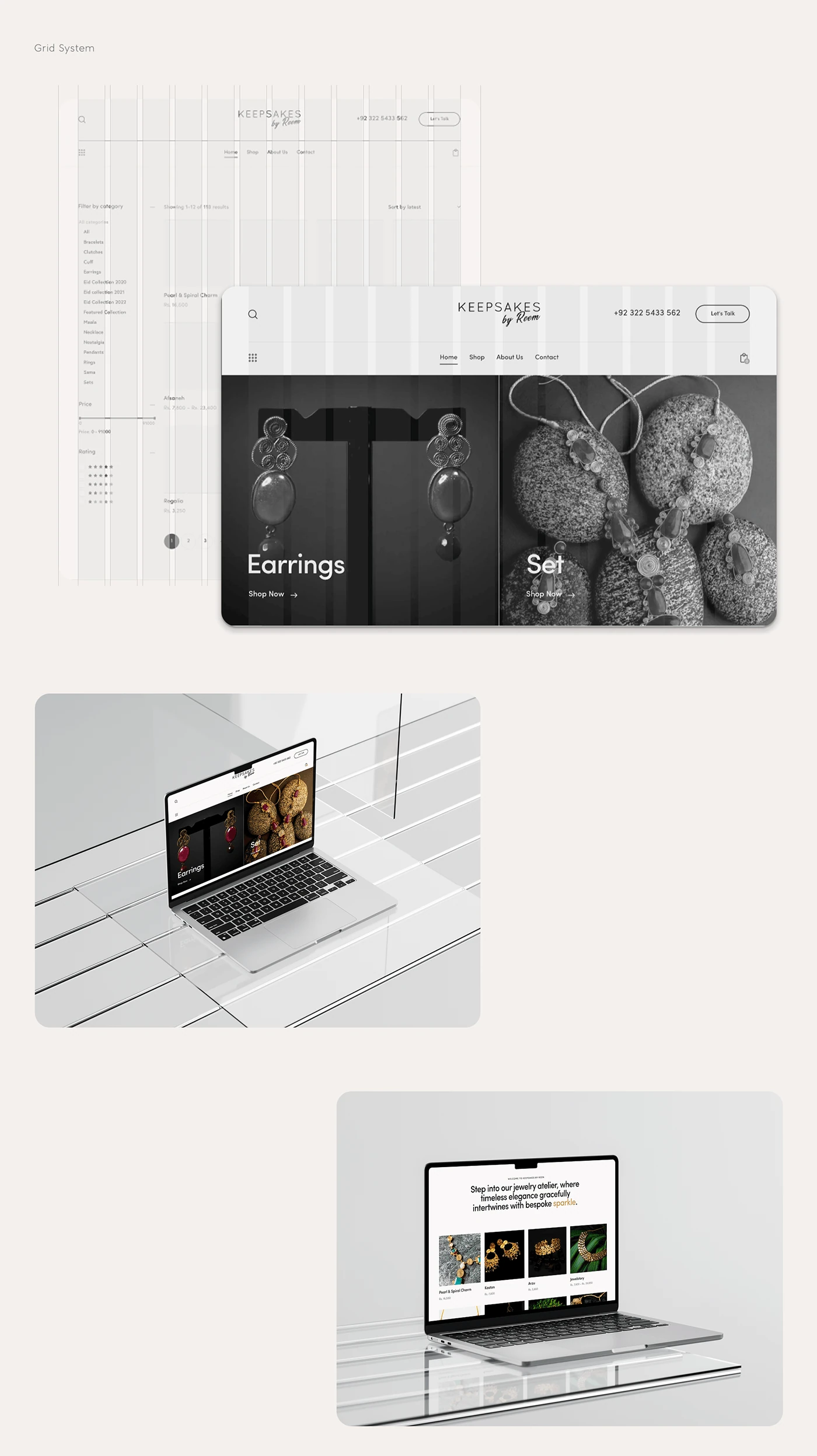
A neutral palette, generous space, and light typography frame the more expressive product and lifestyle imagery. Dark jewelry-led moments add contrast while the surrounding interface remains calm.
The presentation carries that visual language from desktop to mobile, balancing the brand’s character with readable navigation and useful shopping controls.
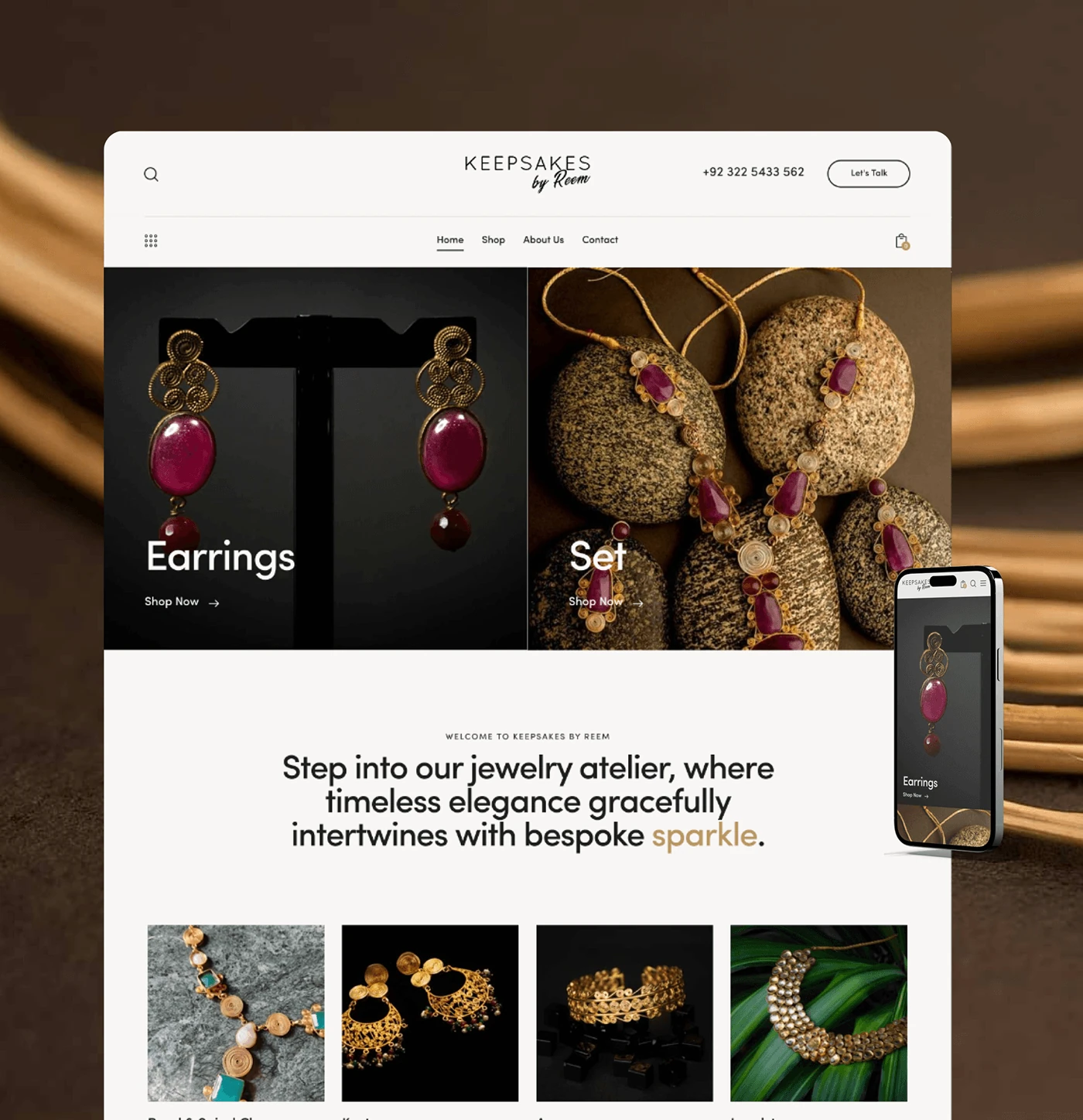
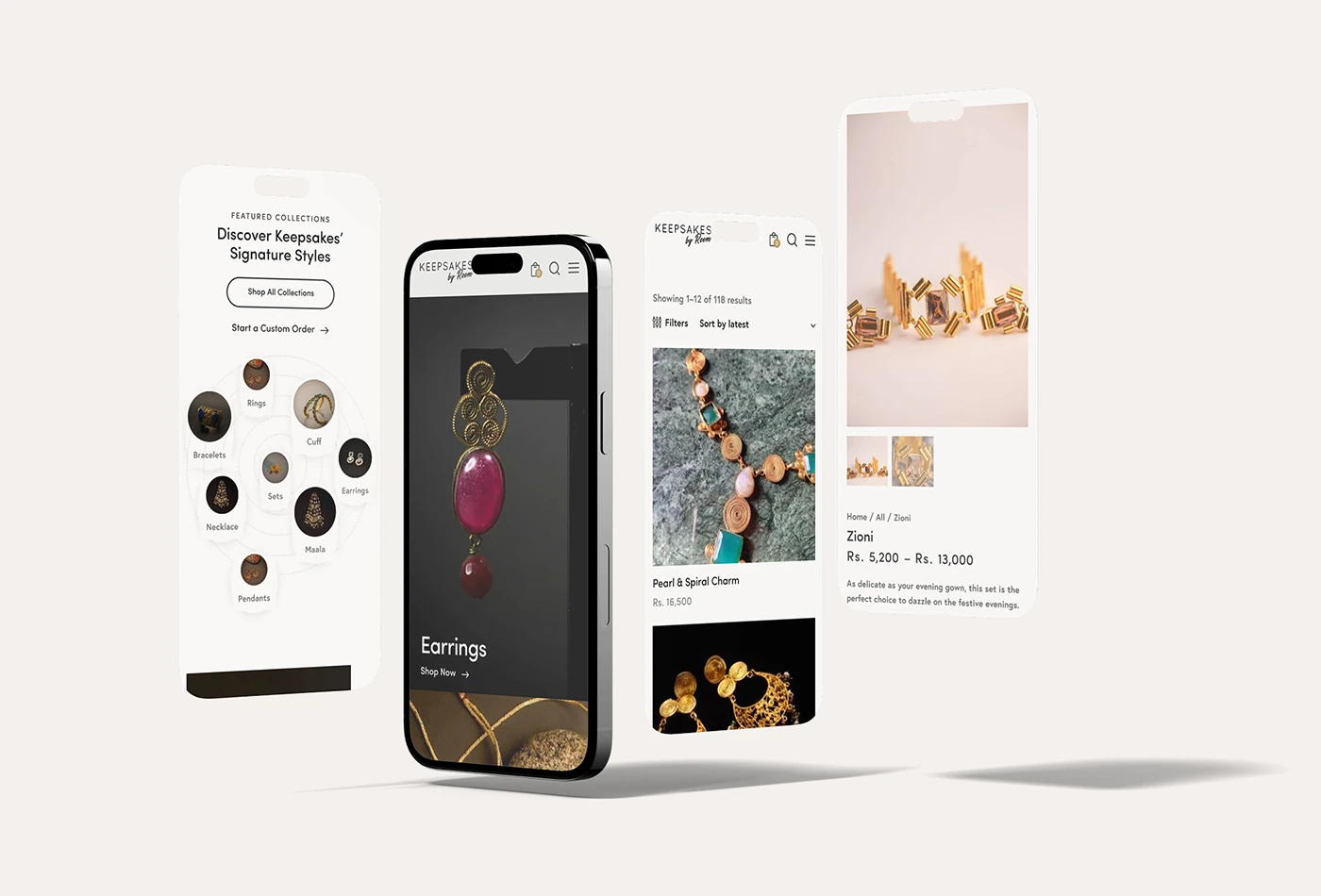
The documented delivery uses WordPress and WooCommerce with a custom theme, wishlist and Share Cart integrations, custom-order forms, and responsive layouts. The design presentation maps the experience from discovery through product selection and checkout.
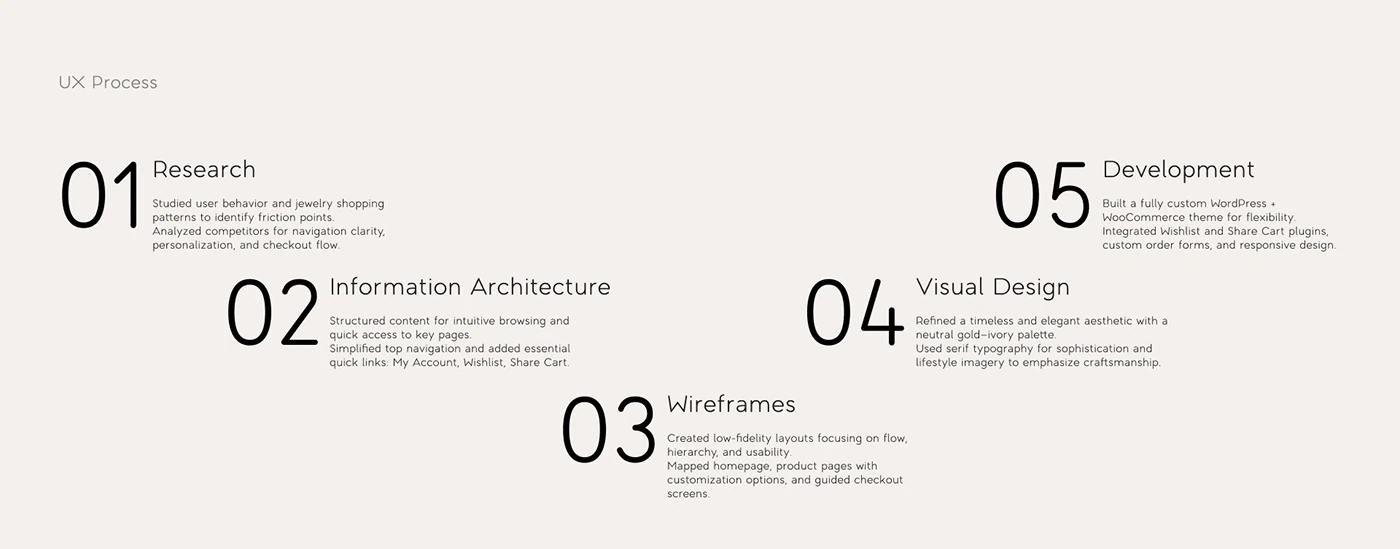
It also presents research, information architecture, wireframes, visual design, and development as the stages of the project. The screens below show how the different pieces connect.
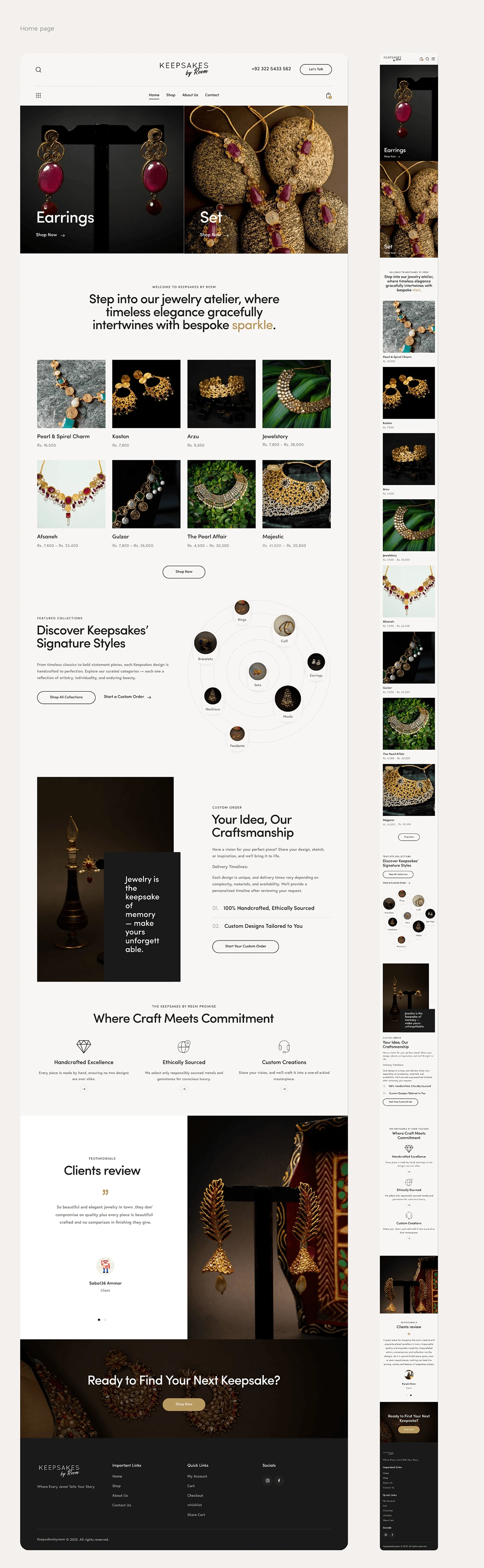
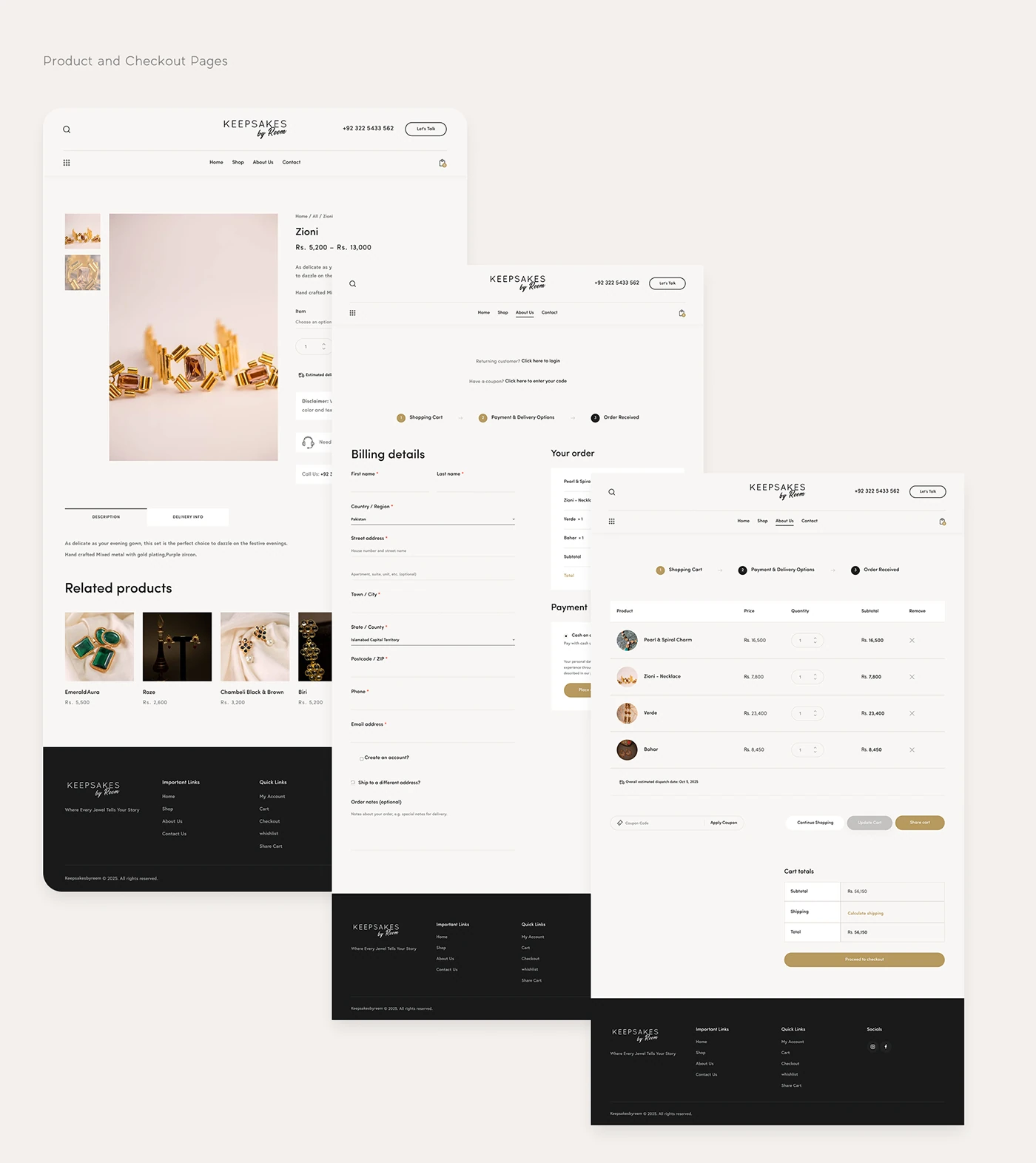
The project presentation documents a redesigned shopping experience and a migration to a more flexible commerce platform. The result shown is a consistent brand direction across the homepage, catalog, product, and supporting shopping screens.
Conversion rates, revenue growth, and usability measurements are not included in the supplied case study, so no numerical improvement is claimed here.